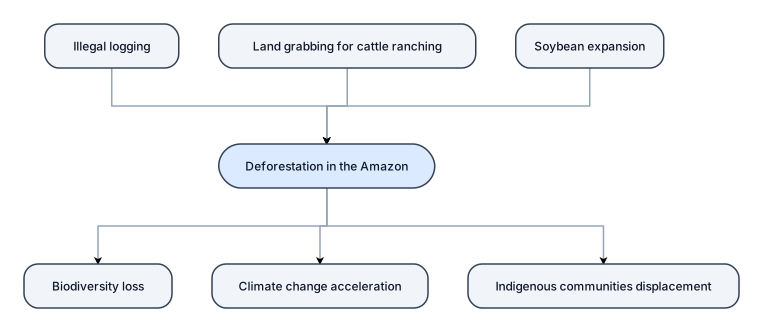
 Problem Tree Analysis of DeforestationProblem TreeUse template →
Nothing close enough? Start from a blank flowchart → Describe it in one paragraph.
How to use a flowchart template.
- 01Define the core problem
Start by placing the main issue at the center of your canvas—this is the trunk of your problem tree.
- 02Identify root causes
Branch out with primary and secondary causes, using flowchart nodes to show how each contributes.
- 03Map out effects and consequences
Add downstream branches to illustrate the impacts, creating a clear cause-and-effect structure.
- 04Customize with visuals
Use colors, icons, and notes to make your problem tree easy to understand at a glance.
- 05Share and get feedback
Export your diagram or share a live link for collaborative review and refinement.
Questions about flowchart templates
What is a problem tree diagram?
A problem tree diagram is a visual tool that maps out the root causes and effects of a central problem, often used in project planning and policy analysis.
How do you create a problem tree diagram?
You can create one manually or use a tool like ChatDiagram. Start by stating the problem, then brainstorm causes and effects, and arrange them in a tree-like flowchart.
When should I use a problem tree diagram?
Use it during project design, strategic planning, or any time you need to understand the underlying drivers of a complex issue and prioritize solutions.
Can I collaborate on a problem tree diagram with my team?
Yes, ChatDiagram supports real-time collaboration. You can share a link and work together on the same problem tree, perfect for team workshops and stakeholder analysis.