Four ways people ask for one.
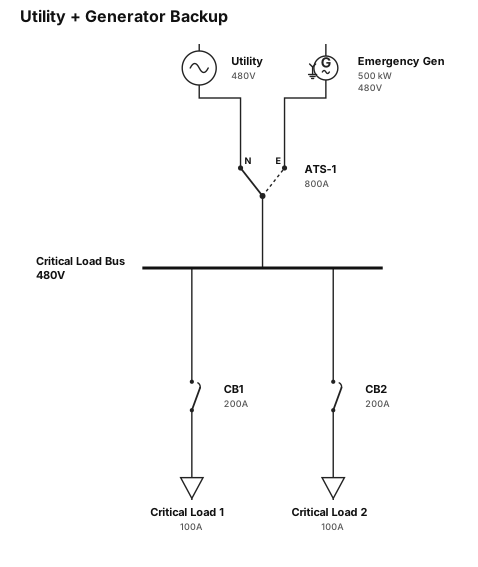
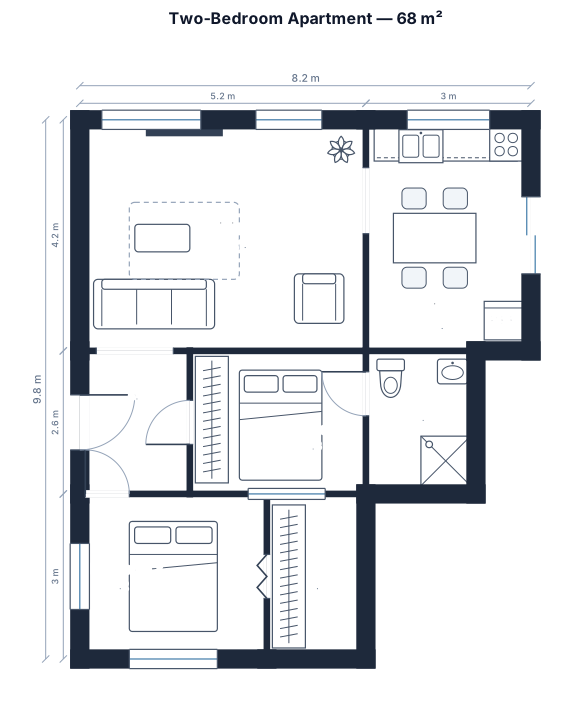
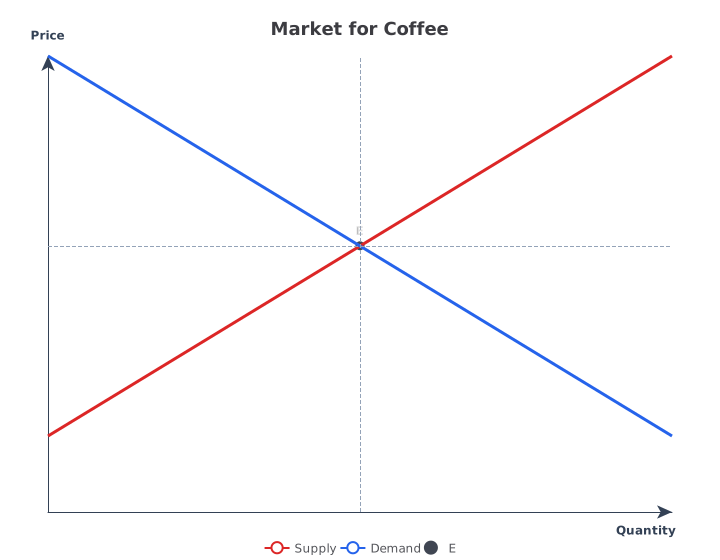
Same tool, four requests. Every drawing below is a real render.
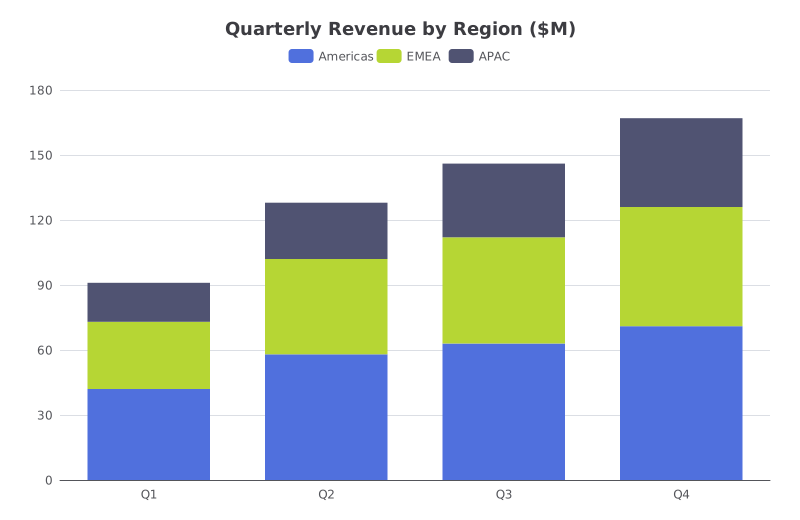
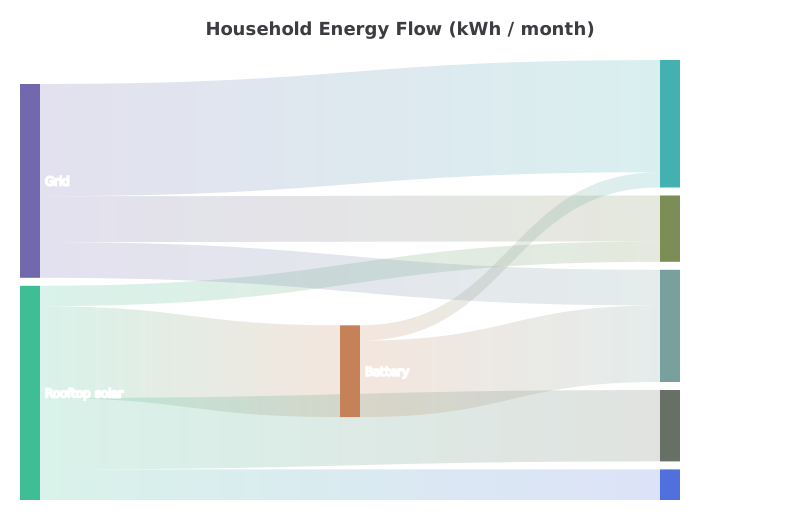
You bring the numbers. It picks the chart.
Type the figures into the message, or paste a table straight from a spreadsheet. Parts of a whole become a pie, a series over time becomes a line, flows between things become a Sankey.
If you want a different kind, say so. The same numbers are redrawn; nothing is retyped.
- Editable
- Describe the change
- Export
- SVG · PNG · PDF
Made for the people who have to be right.
Analysts and product managersA quarterly deck chart from a pasted table, restyled by asking instead of by clicking through a format panel.
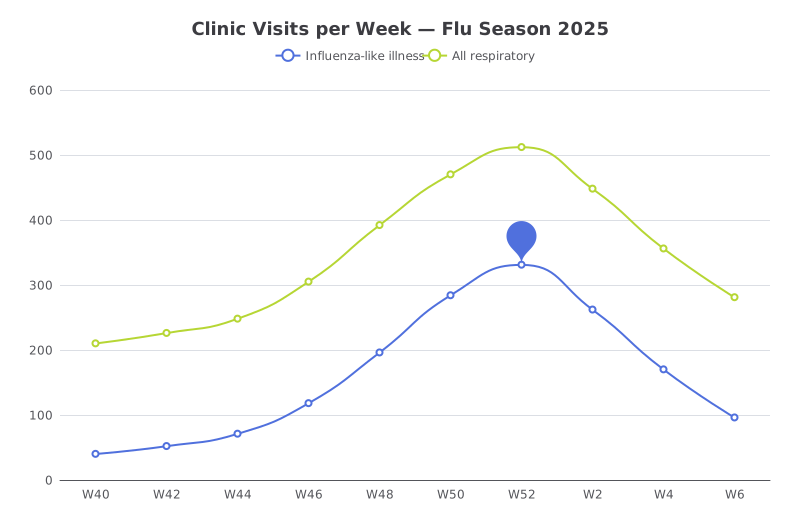 Researchers and clinicians
Weekly counts, a marked peak and a second series, ready for a report without opening a stats package.
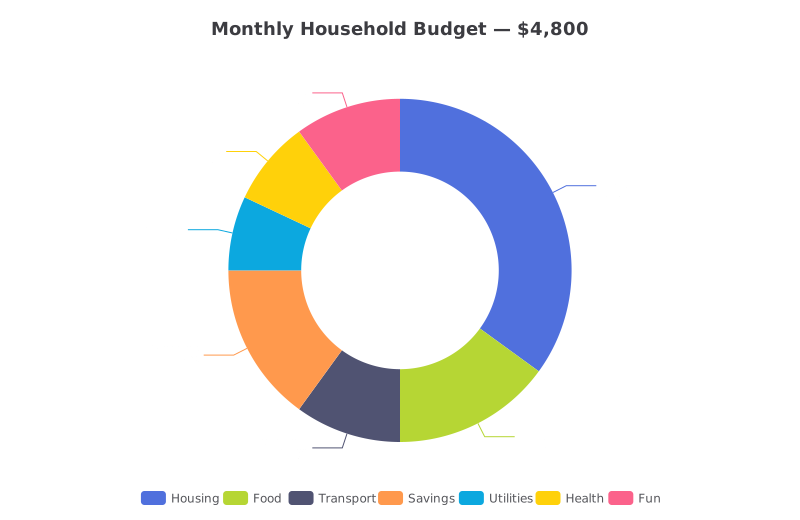 Students and households
A budget or a survey result as a clean pie or bar, with the percentages already worked out.
Three steps, no drawing tool to learn.
Describe it
One paragraph is enough to start.
See the drawing
Drawn by the right engine.
Say what changes
Every edit keeps a version.
Common questions
Can I paste data from Excel or Google Sheets?
Yes. Copy the cells and paste them into the message. Say which column is the label and which are the values if it is not obvious.
Which chart types can it draw?
Fourteen: bar, line, pie, scatter, heatmap, radar, funnel, gauge, candlestick, sunburst, Sankey, treemap, network graph and box plot. For supply and demand or other economics curves, use the supply and demand graph maker.
Can I upload a CSV file?
Not yet. Attachments are photos, PDFs and SVGs. Paste the rows into the message instead.
Can I change colours and labels?
Yes. Say what to change, for example “make APAC grey” or “put the values on the bars”. Every version is kept.
Is it free?
You can start with a free account, no card. Exports have no watermark.
Other drawings for the same work.



Make your first chart now.
Free account, no card. Paste the numbers and see the chart in under a minute.
Open the editor